Workflow Settings
The Workflow Settings module in DocView Web allows users to configure global workflow naming conventions, activation settings, and system-wide workflow behaviors. This centralized configuration ensures consistency across all workflow processes and automations.
These settings apply to all workflows in the system and control how workflows are identified, tracked, and managed throughout their lifecycle.
Navigation
To access the Workflow Settings:
Login to DocView Web
Enter your email and password to access the DocView Web dashboard.Open the Sidebar Menu
Click on the ☰ Sidebar Icon at the top-left corner to expand the navigation panel.Select "Workflow" Menu
From the sidebar, click on Workflow to view workflow-related options.Click on "Workflow Setup"
Within the Workflow sub-items, select Workflow Setup to open the workflow configuration page.Access Workflow Settings
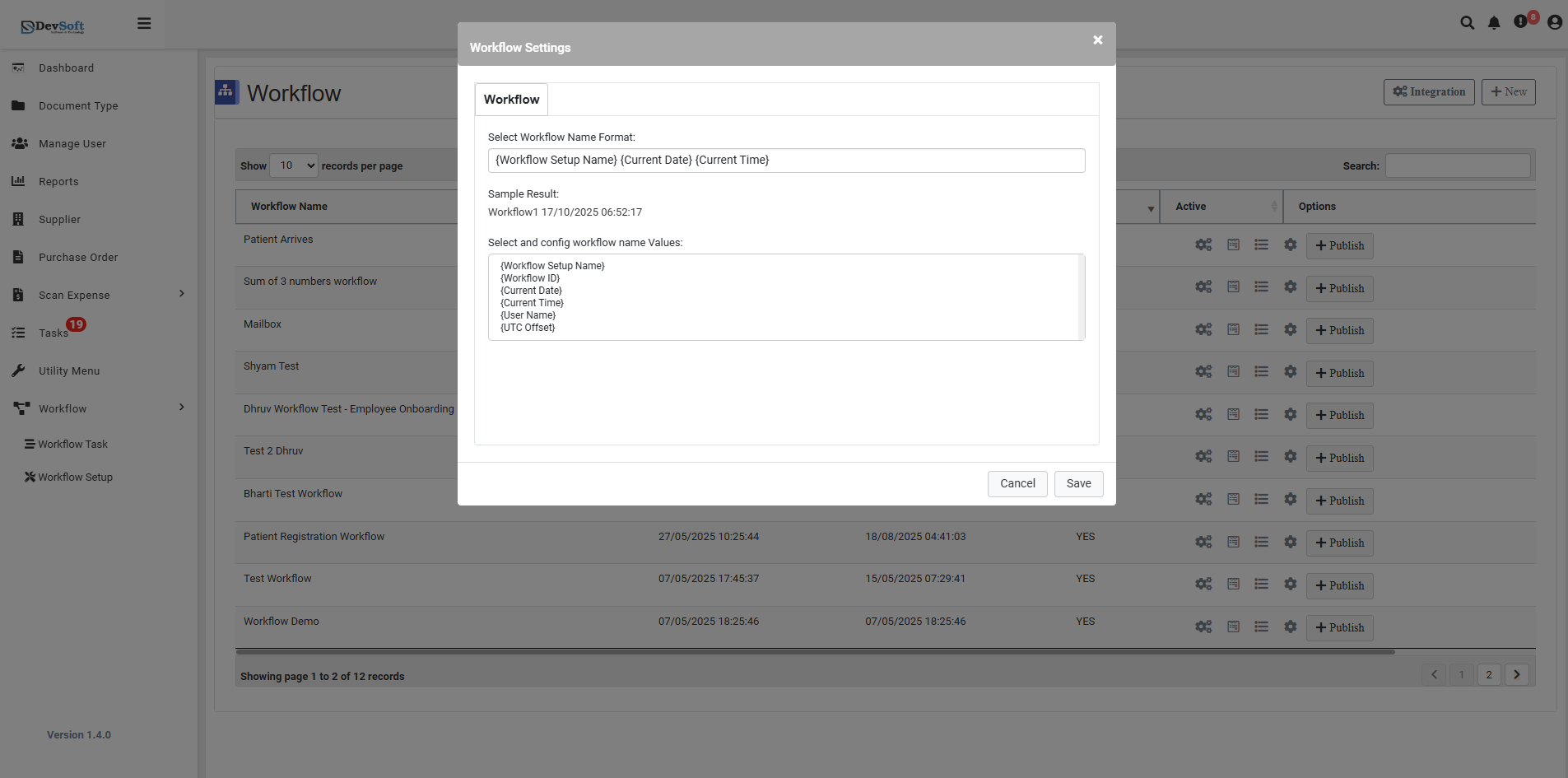
Click the cogs icon (⚙️) near the grid section and select Settings to open the Workflow Settings popup.
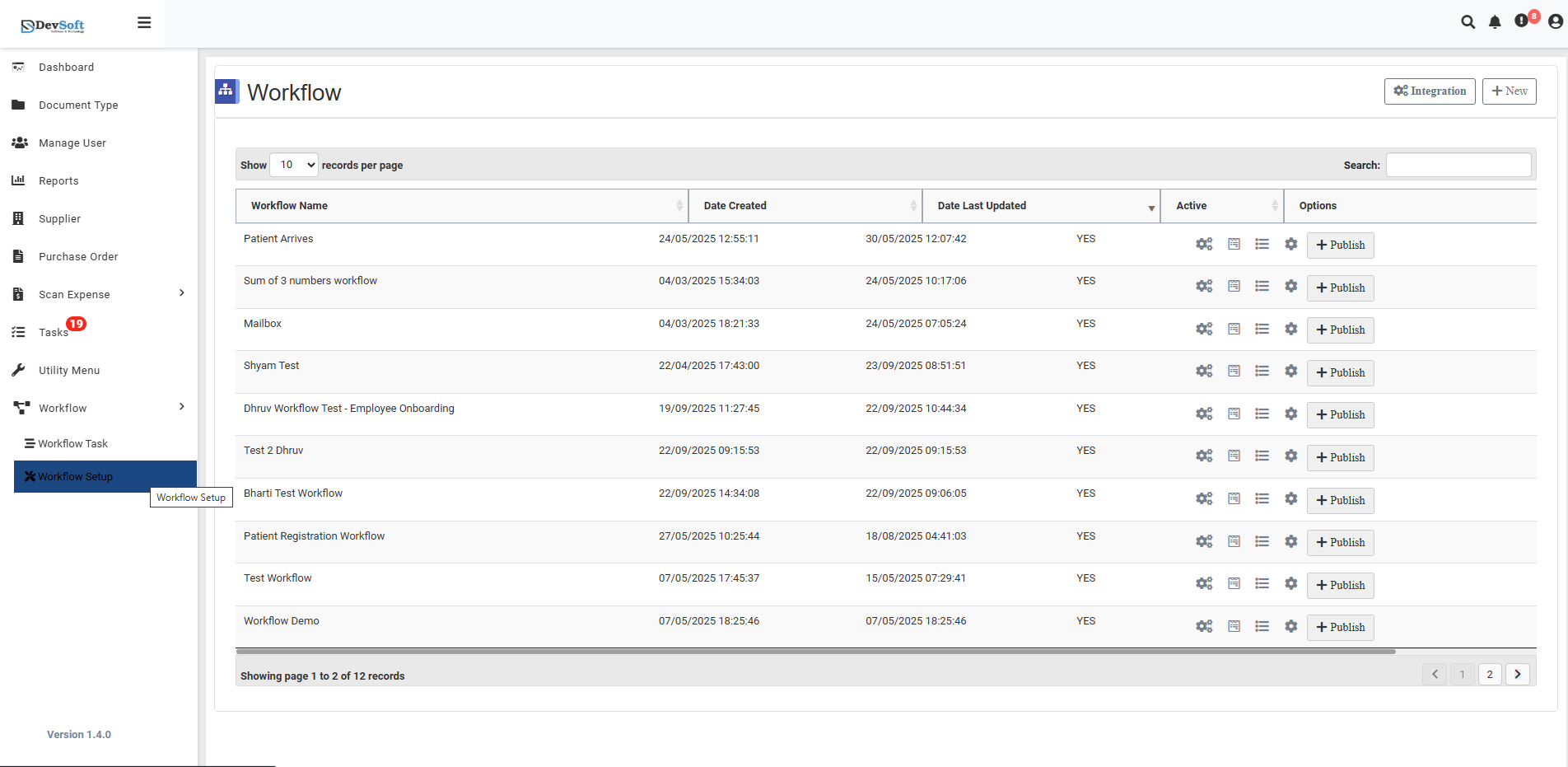
Workflow Setup Settings Overview
Workflow List The system displays all available workflows with pagination controls:
- Records per Page: Configurable display (10, 5, or custom)
- Workflow Names: Comprehensive list of all defined workflows
- Pagination: "Showing page 1 to 2 of 12 records" indicates organized workflow management
Select Workflow Name Format
- Purpose: Defines the automatic naming convention for new workflows
- Format Options:
[Workflow Setup Name]- Base workflow identifier(Current Date) (Current Time)- Timestamp inclusion- Combination of multiple elements
Workflow Name Values Configuration
Available Configuration Elements
[Workflow Setup Name]- Primary workflow identifier[Current Date] [Current Time]- Timestamp for uniqueness[User Setting (UTC+01:00)]- User-specific timezone settings
Configuration Options
- Checkbox Selection: Choose which elements to include
- Order Management: Arrange naming components as needed
- Custom Combinations: Create unique naming patterns
Action Controls
Form Buttons
- Cancel - Discards all changes and closes settings popup
- Save - Applies all configuration changes and updates settings
Settings Impact
Naming Convention Effects
- Consistency: Ensures uniform workflow identification
- Uniqueness: Timestamp inclusion prevents naming conflicts
- Traceability: Clear workflow origin and creation context
Activation Controls
- Workflow Status: Global enable/disable for workflow processing
- System Performance: Manage resource allocation for workflows
- Maintenance Mode: Temporary suspension of workflow execution