Create New User
Only administrators can create new users in DocView Web.
This module allows admins to add users with role-specific permissions and access controls.
Accessing Create New User
Log in as Administrator
- Use your admin credentials to access DocView Web.
Open Manage Users
- From the main navigation menu, click Manage Users.
Click "Create New User"
- The Create New User interface opens, allowing you to enter details for a new account.
Navigation Example (Admin)
Open the Sidebar Menu
- Click the Sidebar Icon (☰) on the left to expand the menu.
Select "Manage Users"
- This opens the user management dashboard.
Click "Create New User"
- Opens the form for adding a new user account.
Only admins can perform this action. Regular users cannot see or access the Create New User page.
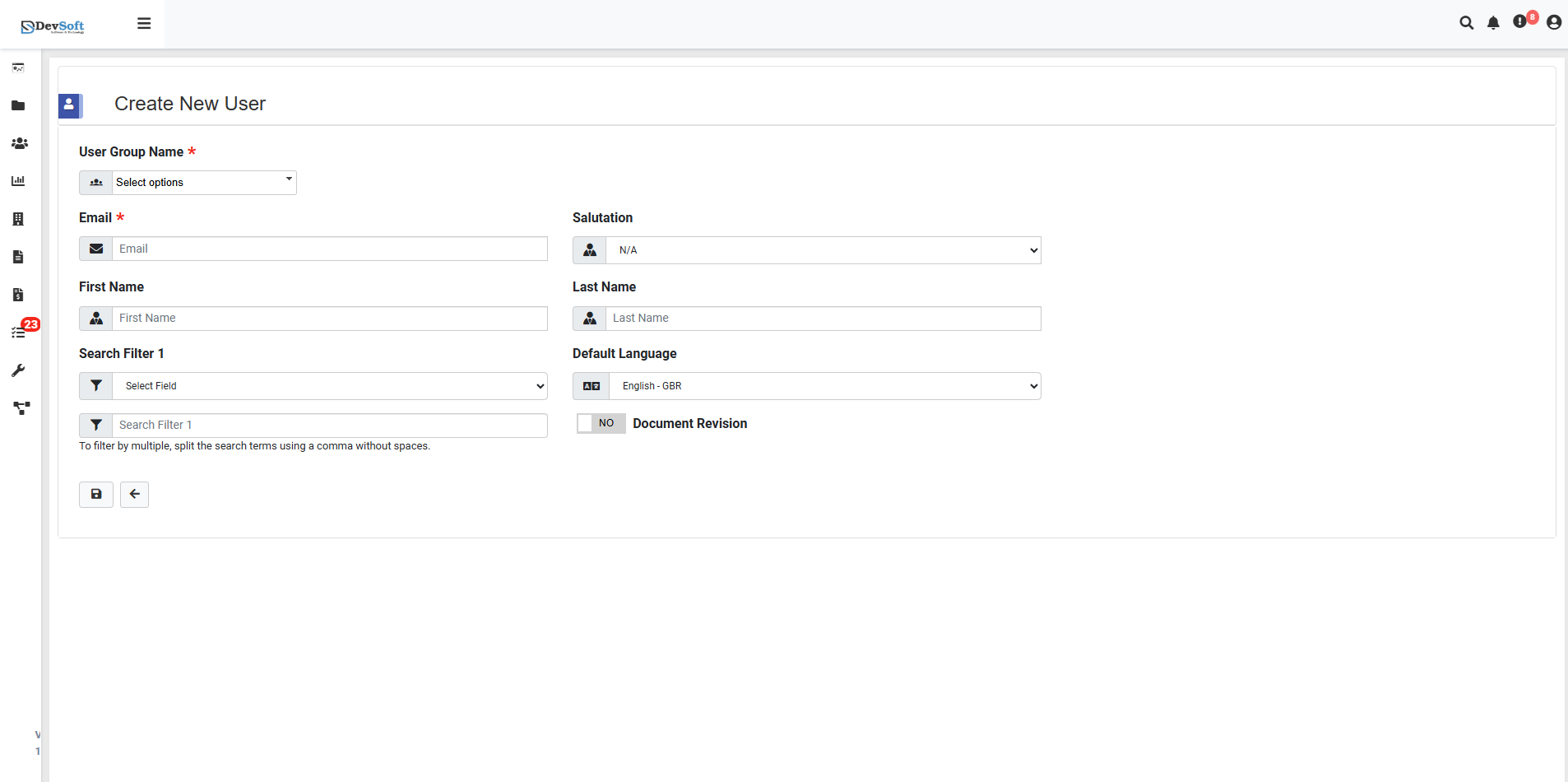
Step 1: Required Information
Fill in the following fields when creating a new user:
- User Group Name: Select an existing permission group to assign access rights (Required)
- Email: User’s email address (login credentials will be sent here) (Required)
- First Name: User’s first name (Optional)
- Last Name: User’s last name (Optional)
Tip: Ensure the email is correct; otherwise, login credentials cannot be delivered.
Step 2: Configuration Options
- Search Filter 1: Assign document access filters based on index fields.
- Example:
Department=Sales,Region=North - Multiple values can be separated by commas without spaces.
- Example:
- Default Language: Set the user interface language. Default is English - GSR.
- Document Revision: Specify which document versions the user can view or edit.
Step 3: User Creation Process
- Complete all required fields marked with
*. - Configure filters and permissions according to the user’s role.
- Click Create to generate the account.
The system will automatically send an email to the user with login credentials and instructions.
Advanced Tips:
- For bulk onboarding, use the Bulk User Upload feature (if available).
- Assign a temporary password and enforce first-login password change for security.
- Review user’s group permissions to avoid granting excessive access.