Inventory Reports
Inventory Reports provide a detailed view of stock levels, inventory movements, product tracking, and warehouse operations.
This module is essential for supply chain management, warehouse teams, and inventory oversight.
Navigation – Inventory Reports
Login to DocView Web
Enter your registered credentials to access the dashboard.Open the Sidebar Menu
Click the ☰ Sidebar Icon at the top-left corner.Select "Reports" from the Sidebar
From the expanded menu, click Reports to open the Reports Dashboard.Click "Inventory Reports"
Access the Inventory Reports interface to view stock data, movement logs, and related inventory records.
This navigation allows users to quickly reach detailed inventory insights.
Inventory Reports Overview
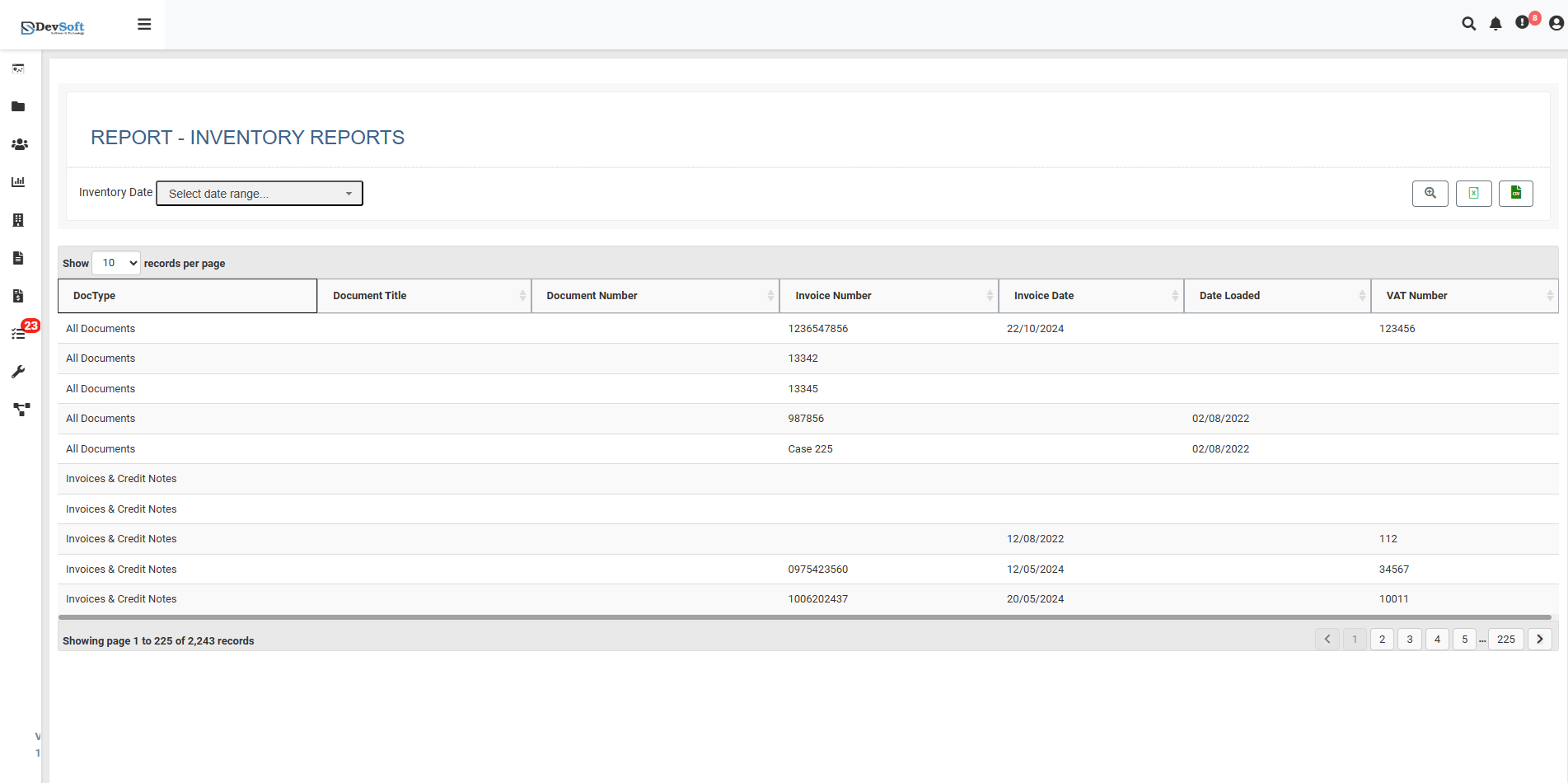
The Inventory Reports interface is designed for efficient stock management:
- Report Header: Displays "REPORT - INVENTORY REPORTS".
- Inventory Date Filter: Select a date range to filter inventory data.
- Display Configuration: Includes records per page selector, pagination controls, and summary display (e.g., “Showing page 1 to 225 records”).
- Main Data Table: Lists inventory documents, stock movements, and product tracking information.
Inventory Data Fields
Key fields displayed include:
- Document Type (Dec/Tips): Classification of inventory documents (e.g., Stock Orders, Transfers).
- Document Title: Name or description of the inventory document.
- Document Number: Unique identifier for the inventory document.
- Movement Reference (Imotion Number): Internal tracking number for inventory movement.
- Movement Date (Imotion Date): Date of stock transfer or adjustment.
- Processing Timestamp (Date Locked): When the inventory data was processed in the system.
- VAT Number: Tax identification number associated with inventory documents.
Action Icons
Located on the top-right corner of the interface:
- 🔍 Search: Quickly locate inventory records using keywords or filters.
- 📊 Excel: Export selected or filtered inventory data into an Excel spreadsheet.
- 📑 CSV: Download inventory data in CSV format for analysis or reporting.
These tools provide users with efficient ways to view, filter, and export inventory information for operational and reporting purposes.