Dashboard
INFO
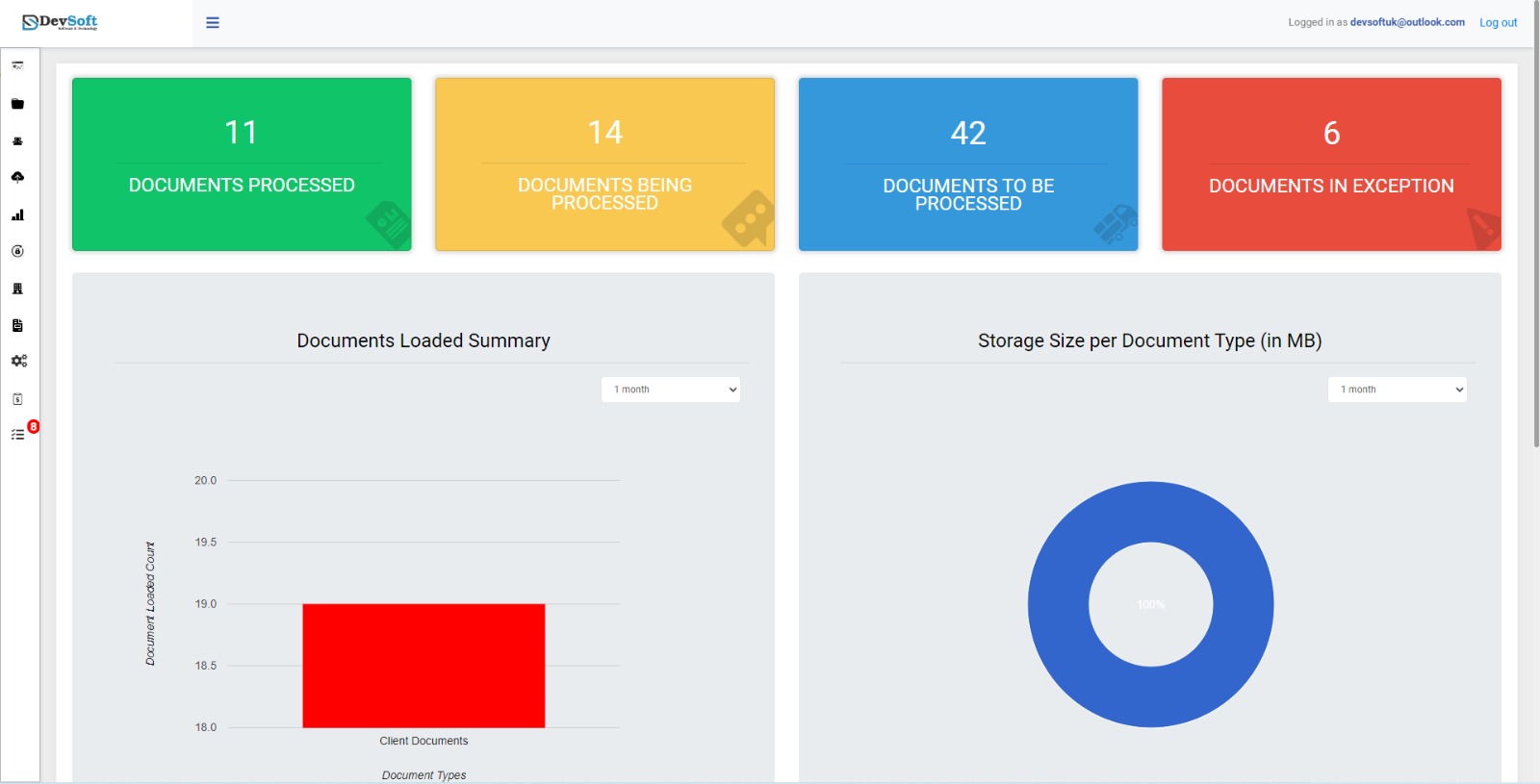
After a user logs in, the first page they see is the Dashboard. The sidebar is located on the left side, and users can also navigate to the Dashboard at any time by clicking the Dashboard option in the sidebar.
The DocView Web Dashboard provides a customized overview of your document management activities, helping you monitor and manage documents efficiently.
Document Processing Status
The dashboard displays the following key document statuses:
Documents Processed
Number of documents that have been successfully processed.Documents Being Processed
Number of documents currently under processing.Documents to be Processed
Number of documents pending processing.Documents in Exception
Number of documents that encountered errors or issues during processing.
Document Summary
Total Loaded Documents
Quick overview of all documents currently in the system.Storage Size Used
Shows the storage space occupied by your documents.
INFO
The dashboard provides real-time insights into document workflows, helping you track progress, exceptions, and storage usage efficiently.