Workflow Variables Management
The Workflow Variables Management module in DocView Web allows users to view and manage all variables used in workflow processes, particularly in healthcare scenarios like patient arrival workflows.
This centralized interface provides comprehensive control over data variables that store and process patient information throughout the workflow lifecycle.
Navigation
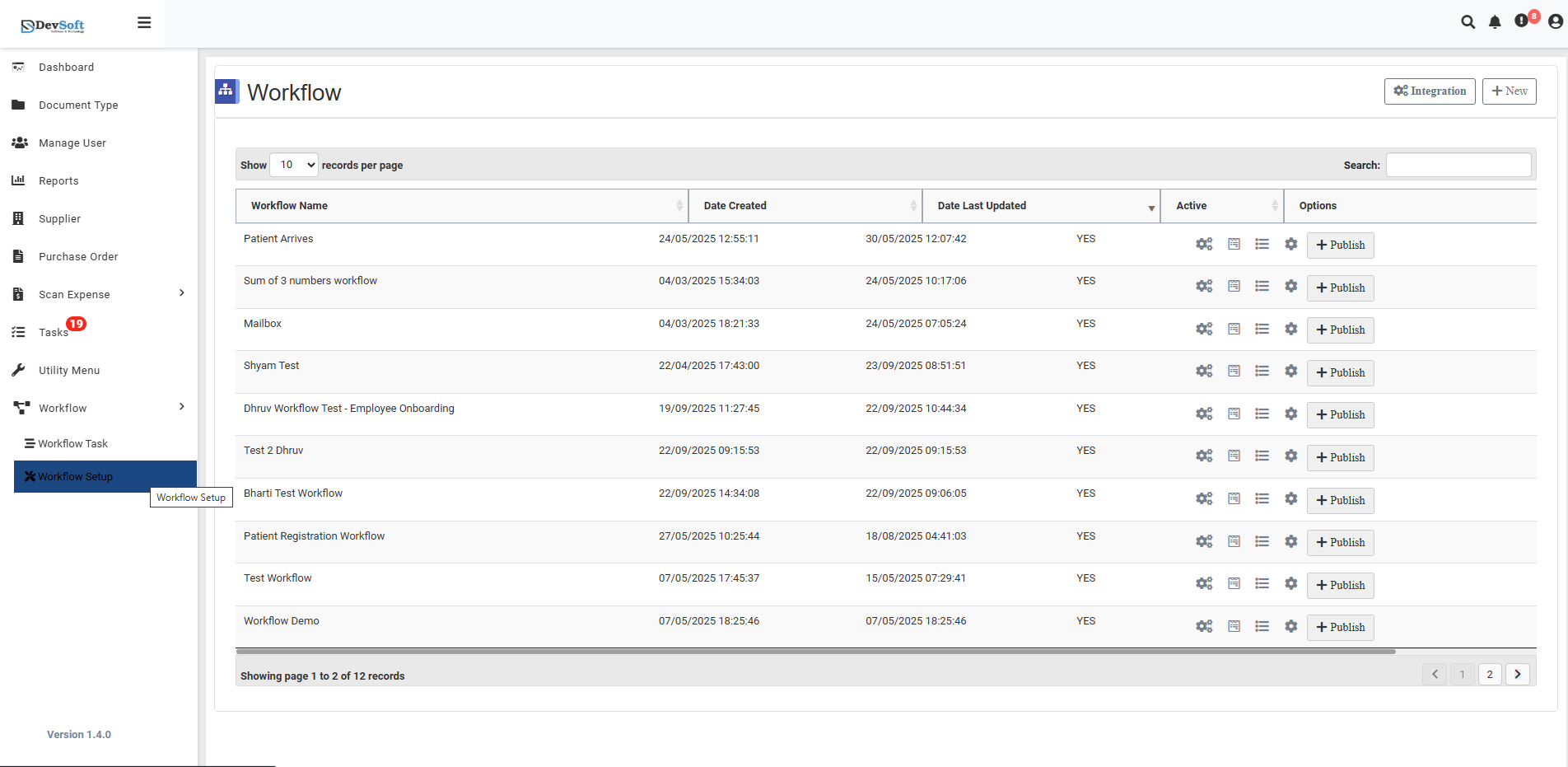
To access the Workflow Variables Management:
Login to DocView Web
Enter your email and password to access the DocView Web dashboard.Open the Sidebar Menu
Click on the ☰ Sidebar Icon at the top-left corner to expand the navigation panel.Select "Workflow" Menu
From the sidebar, click on Workflow to view workflow-related options.Click on "Workflow Setup"
Within the Workflow sub-items, select Workflow Setup to open the workflow configuration page.Access Variables Management
Click the bar icon (☰) in the grid section to open the Variables Management screen.
Variables Overview
Variables Grid
The main interface displays all workflow variables in a structured table with comprehensive details:
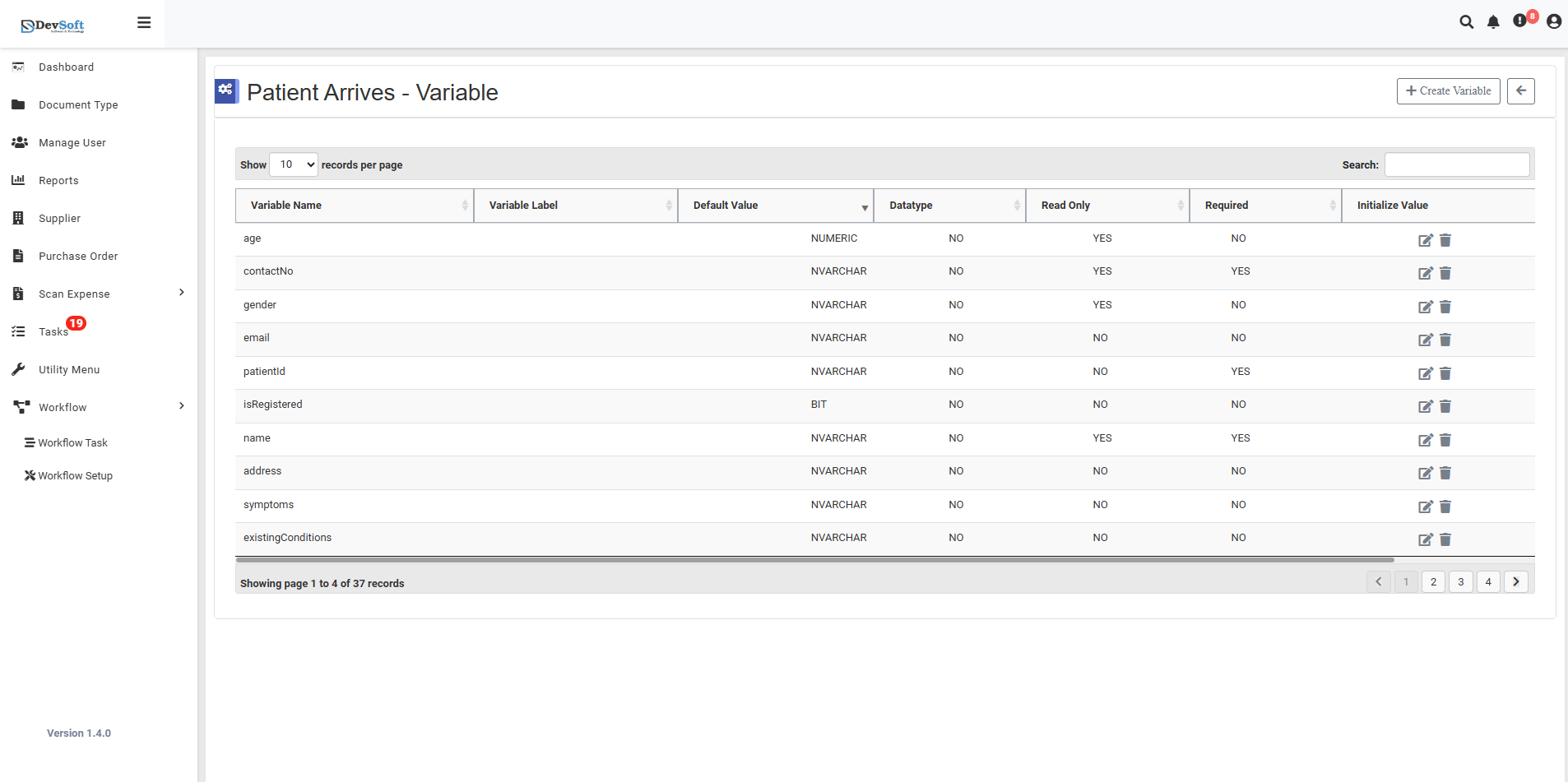
Variable Name: Unique identifier for the variable — e.g.,
age,contactNo,genderVariable Label: Display name for the variable — (Configurable label)
Default Value: Pre-set value for the variable — (Empty or pre-configured)
Datatype: Data type of the variable — e.g.,
NUMERIC,NUMICHAIR,BITRead Only: Indicates whether the variable can be modified —
NO/YESRequired: Specifies whether the variable is mandatory —
NO/YESInitialize Value: Shows the auto-initialization status — ✅ Checkmark indicator
Data Types Supported
- NUMERIC - Numerical values and calculations
- NUMICHAIR - Character and text data
- BIT - Boolean true/false values
Pagination & Controls
- Records per Page: 10 variables displayed per page
- Navigation: "Showing page 1 to 4 of 37 records" indicates comprehensive variable management
- Status Indicators: Submit status tracking for variable operations
Quick Actions
- + New Icon - Create new workflow variables
- Edit Icon - Modify existing variable configurations
- Delete Icon - Remove unused variables from workflow
- Pagination - Navigate through variable pages
- Submit - Apply variable changes to workflow
This centralized management ensures all workflow variables are properly configured and maintained for smooth patient data processing.