DocView Web Module : Document Type List
INFO
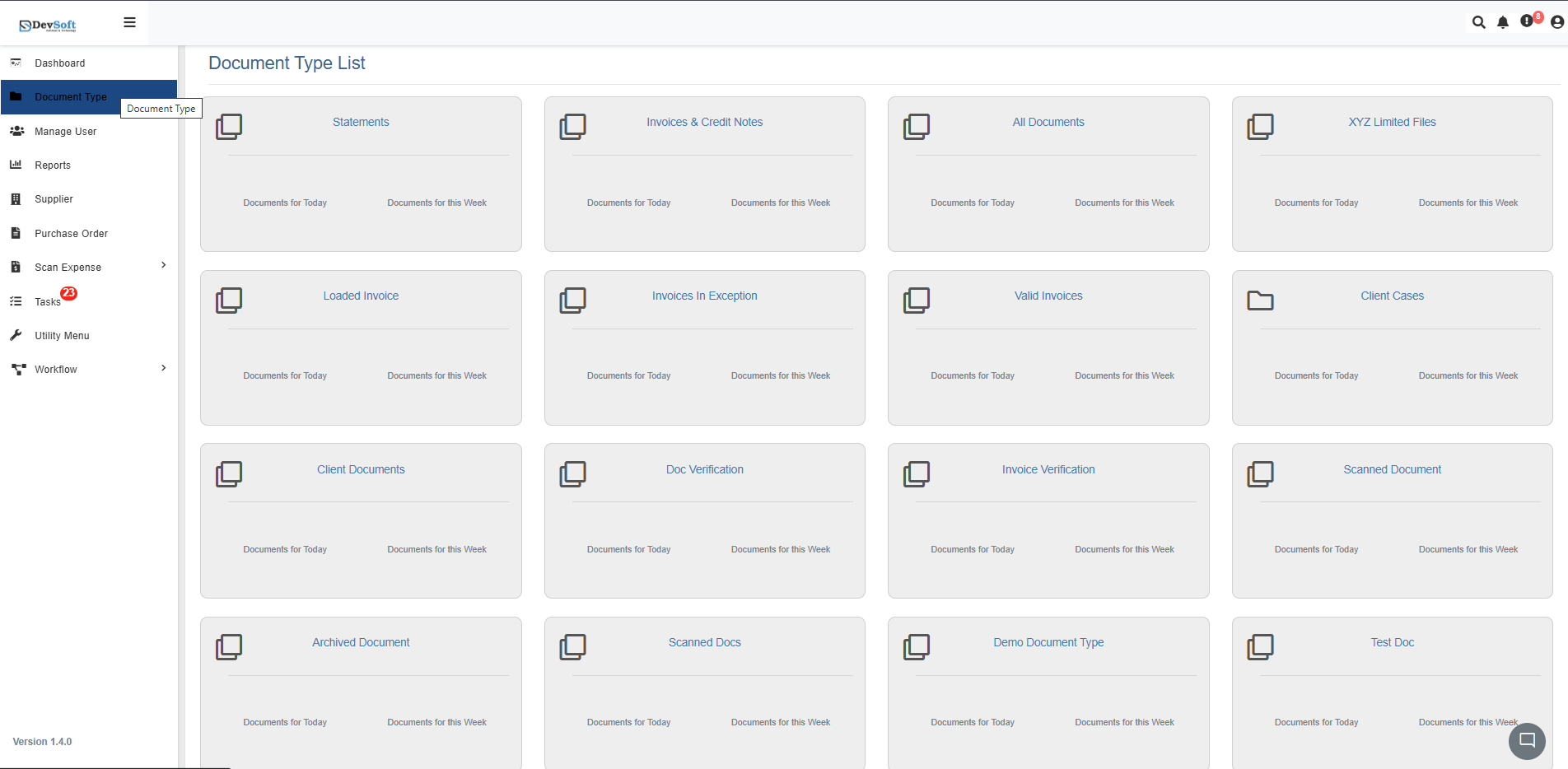
The Document Type List module provides a categorized overview of all document types configured within the DocView Web.
It acts as a central hub for accessing, monitoring, and managing documents by type — such as invoices, statements, scanned files, and more.
Navigation
Users can easily access the Document Type List from the sidebar panel within the DocView Web.
Open Sidebar Menu
On the left-hand side of the interface, click the Sidebar Icon (☰) to expand the navigation menu.Select “Document Type”
From the expanded sidebar, click on Document Type.
This action navigates the user to the Document Type List module.View Document Type List
The Document Type List screen will appear, displaying all configured document categories in a card-based layout.
Each card contains key data metrics such as:- Documents for Today
- Documents for This Week
Access Documents by Type
Clicking on any specific document type card (e.g., Invoices, Client Documents, Statements) will open the detailed document list view filtered by that selected type.
Overview
Each card on the screen represents a unique document type that groups documents according to their workflow or category.
From this interface, users can:
- Instantly open documents belonging to a specific type.
- View the number of documents processed today and this week.
- Quickly identify active or exception document types.
- Navigate seamlessly across multiple categories.
This module provides a card-based visual layout, allowing users to locate and interact with each document type efficiently.
Document Type Card Components
Each card within the Document Type List includes the following elements:
Document Type Title
Displays the name of the document category (e.g., Invoices & Credit Notes, Client Documents). Clicking the title opens the detailed list for that document type.Documents for Today
Shows the count of new or updated documents processed on the current day.Documents for this Week
Displays the total number of documents handled during the current week.
These metrics help users track real-time document activity and understand workload distribution.