Create New Supplier
The Create New Supplier feature allows administrators to add suppliers into DocView Web with proper role-based permissions and approval workflows.
It ensures that all supplier information is accurately recorded and accessible to authorized personnel.
Accessing the Create New Supplier
- Login to DocView Web by entering your email and password.
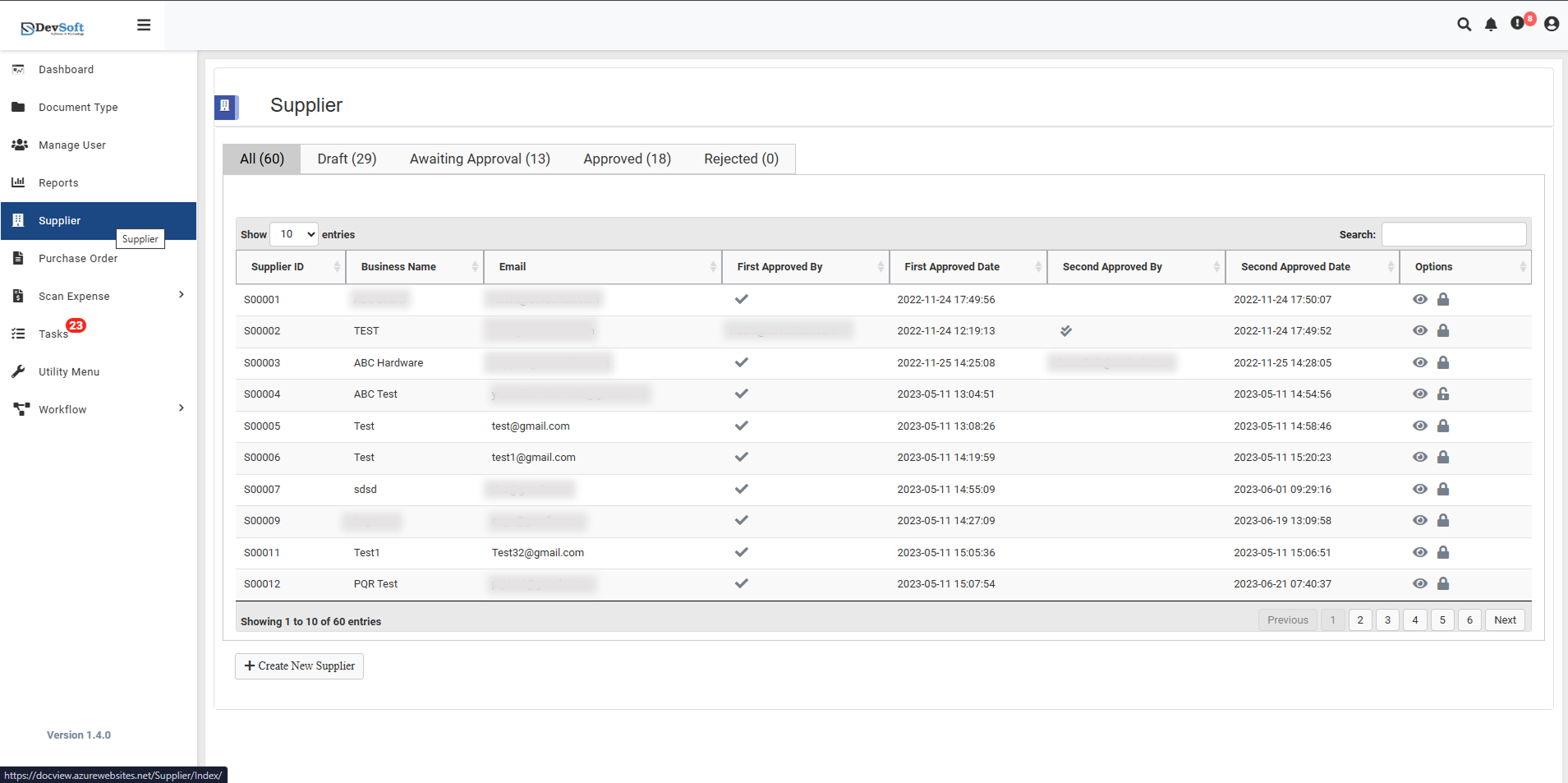
- From the sidebar menu, click the Supplier icon to open the Supplier Page.
- Scroll to the bottom of the supplier list.
- Click the Create New Supplier button.
- This opens the supplier creation form with all required and optional fields.
⚠ Note: Only users with Manage User access permissions can create new suppliers.
Other users will not see the Create New Supplier button.
Required Fields
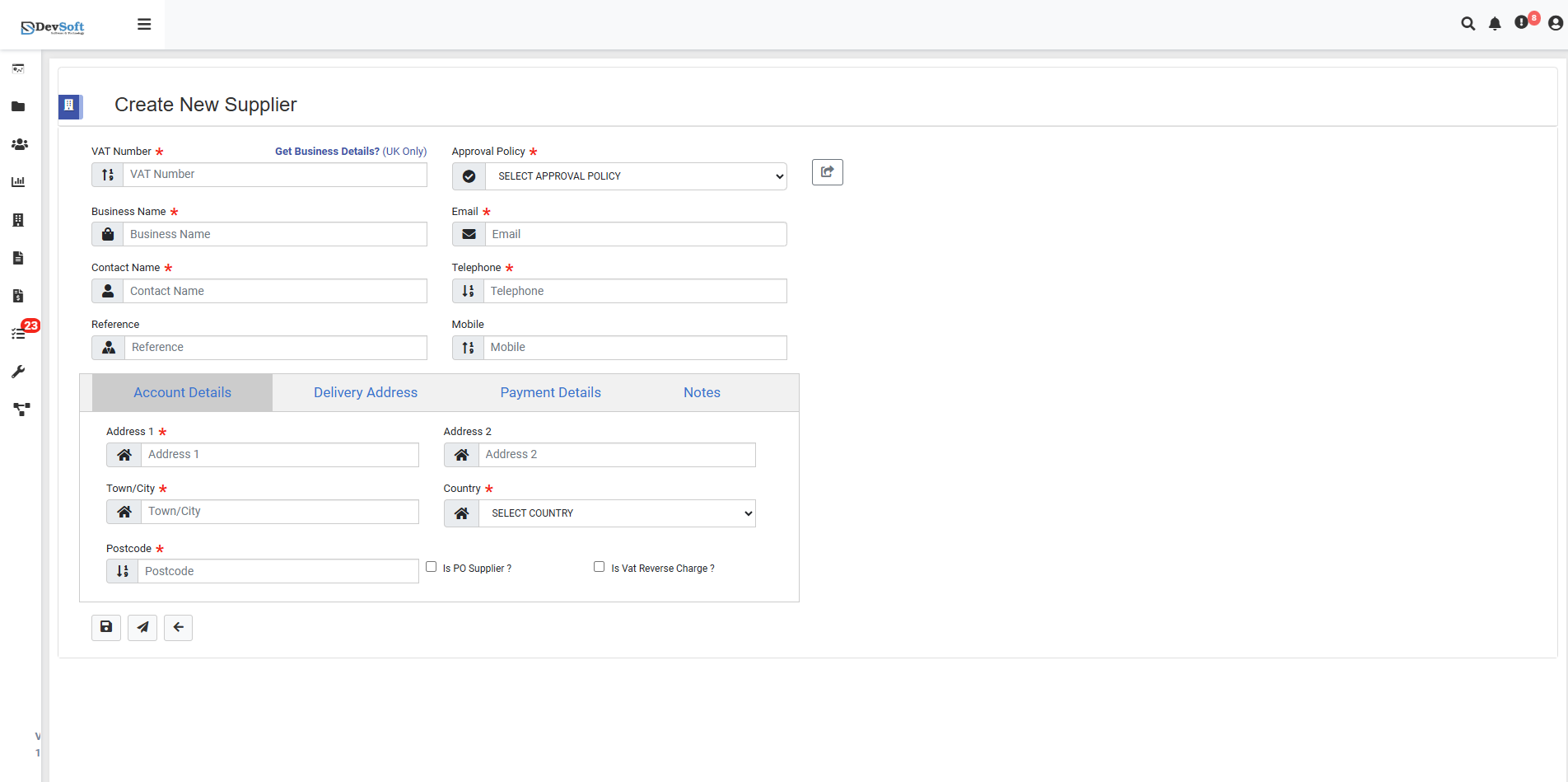
The following fields must be completed to create a supplier:
- VAT Number: Tax identification number
- Business Name: Registered legal name
- Approval Policy: Workflow rules for multi-level approval
- Country: Supplier’s business location
- In Pro Register: Registration status (Yes/No)
- Is VAT Reverse Charge: VAT treatment indicator
These fields ensure proper system tracking and compliance with financial regulations.
Optional Fields
Optional fields allow for more detailed supplier records:
- Contact Name: Primary contact person
- Reference: Internal supplier code or reference
- Email / Telephone / Mobile: Contact information
- Address Details: Delivery and invoice addresses
- Payment Details: Bank account, currency, and payment terms
- Notes: Free-text area for additional information
Filling optional fields improves workflow efficiency and reporting accuracy.
Supplier Creation Process
- Fill in all required fields.
- Complete optional fields as necessary.
- Click Create to add the supplier.
The system validates the input and adds the supplier to the database.
The supplier will then follow the configured approval workflow.
Features & Permissions
- Role-Based Access Control – Only authorized users can create suppliers
- Approval Workflow – Multi-level approval ensures data accuracy
- Audit Trail – Tracks all changes for accountability
- Search & Filter – Quickly locate suppliers
- Bulk Operations – Add or modify multiple suppliers efficiently
- Export Options – Export supplier data to Excel/CSV for reporting