Integration Management
The Integration Management module in DocView Web allows users to configure and manage various integration types that connect the system with external services, DLL files, databases, and web services.
This centralized hub enables seamless connectivity with external systems, automating data exchange and extending workflow capabilities through configured integrations.
Navigation
To access the Integration Management module:
Login to DocView Web
Enter your email and password to access the DocView Web dashboard.Open the Sidebar Menu
Click on the ☰ Sidebar Icon at the top-left corner to expand the navigation panel.Select "Workflow" Menu
From the sidebar, click on Workflow to view workflow-related options.Click on "Workflow Setup"
Within the Workflow sub-items, select Workflow Setup to open the workflow configuration page.Access Integration Management
Click the Integration button on the top right side of the Workflow Setup page to open the Integration Management screen.
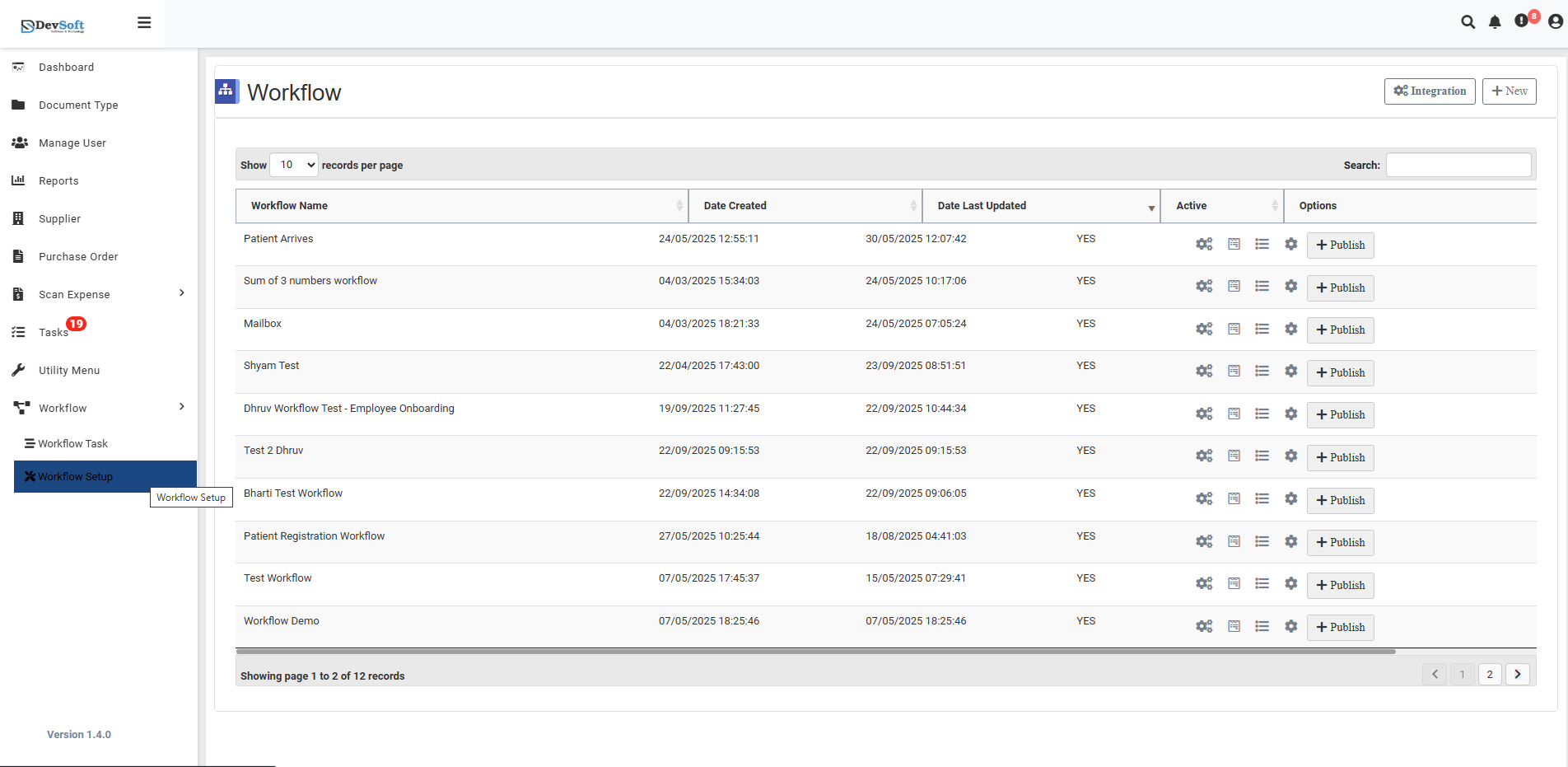
Integration Overview
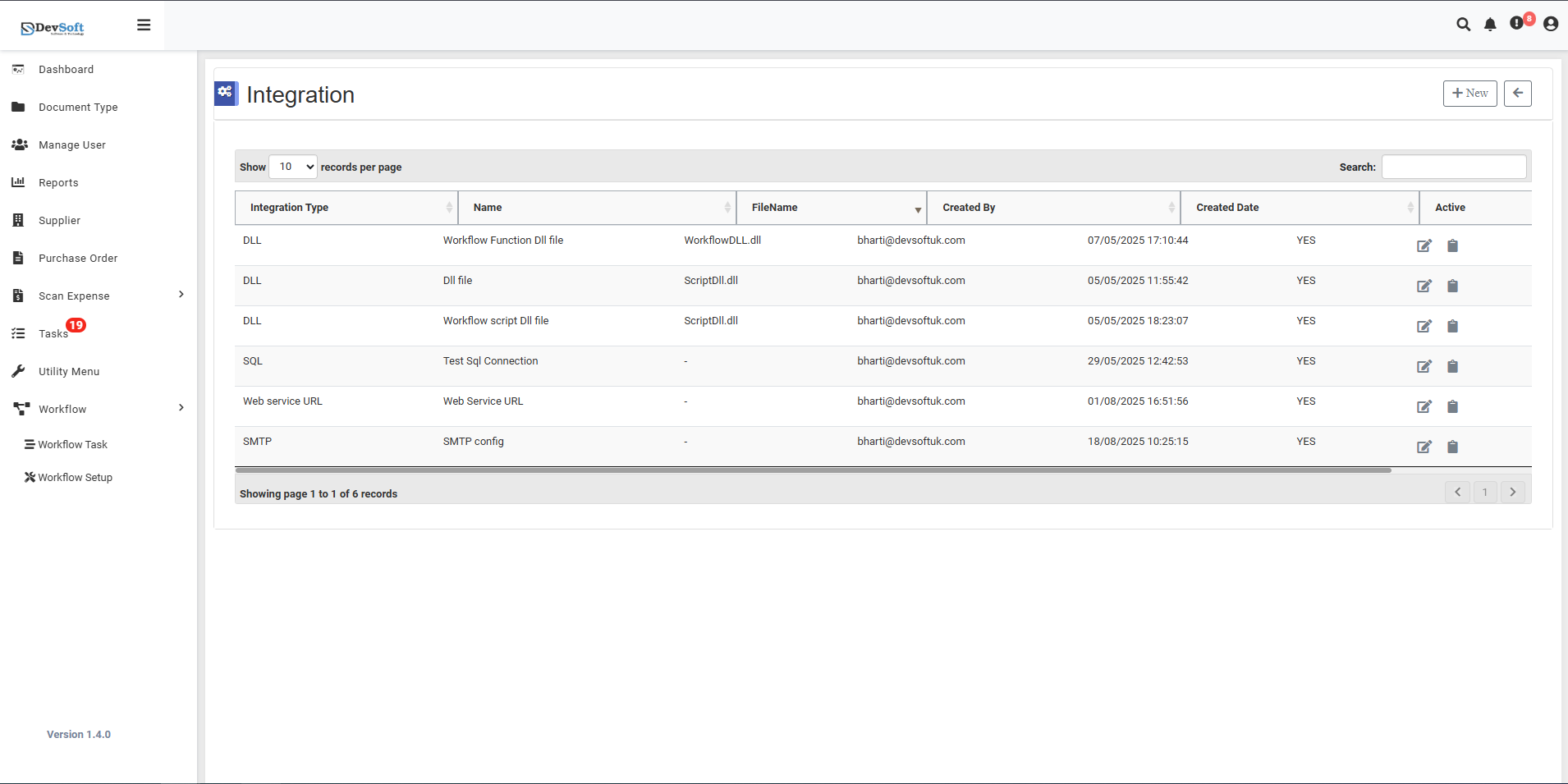
Once the Integration Management screen is opened, users are presented with a comprehensive list of all configured integrations in the system.
Integration Grid
The main interface displays all integration records in a structured table format with the following columns:
- Integration Type - The category of integration (DLL, SQL, Web service URL, SMTP)
- Name - Descriptive name identifying the integration purpose
- Distance - File path or connection identifier
- Created By - User who configured the integration
- Created Date - When the integration was set up
- Active - Status indicating if the integration is currently enabled (YES/NO)
Top Controls
- Records per Page - Displays "10 records per page" with dropdown to change view density
- Pagination - Shows current page and total records ("Showing page 1 to 1 of a records")
Sample Integrations
The system supports various integration types including:
- DLL Integrations - For workflow functions and scripts (e.g., WorkflowDLL.dll, ScriptDLL.dll)
- SQL Connections - Database integrations for text log connections
- Web Service URLs - External API endpoints
- SMTP Configurations - Email service setups
Quick Actions
- + New Icon - Click to create a new integration configuration
- Edit Icon - Click on any integration record to modify its settings
- Status Toggle - Enable or disable integrations as needed
This centralized management makes it easy to maintain all system integrations from one interface, ensuring smooth connectivity with external services and automated workflows.