Workflow Forms Management
The Workflow Forms Management module in DocView Web allows users to view and manage all forms associated with workflow processes, particularly in healthcare scenarios like patient arrival workflows.
This centralized interface provides access to various forms used throughout patient journey - from registration to discharge - ensuring smooth data collection and process automation.
Navigation
To access the Workflow Forms Management:
Login to DocView Web
Enter your email and password to access the DocView Web dashboard.Open the Sidebar Menu
Click on the ☰ Sidebar Icon at the top-left corner to expand the navigation panel.Select "Workflow" Menu
From the sidebar, click on Workflow to view workflow-related options.Click on "Workflow Setup"
Within the Workflow sub-items, select Workflow Setup to open the workflow configuration page.Access Forms Management
Click the Form Icon (⚙️) near the grid section to open the Forms Management screen.
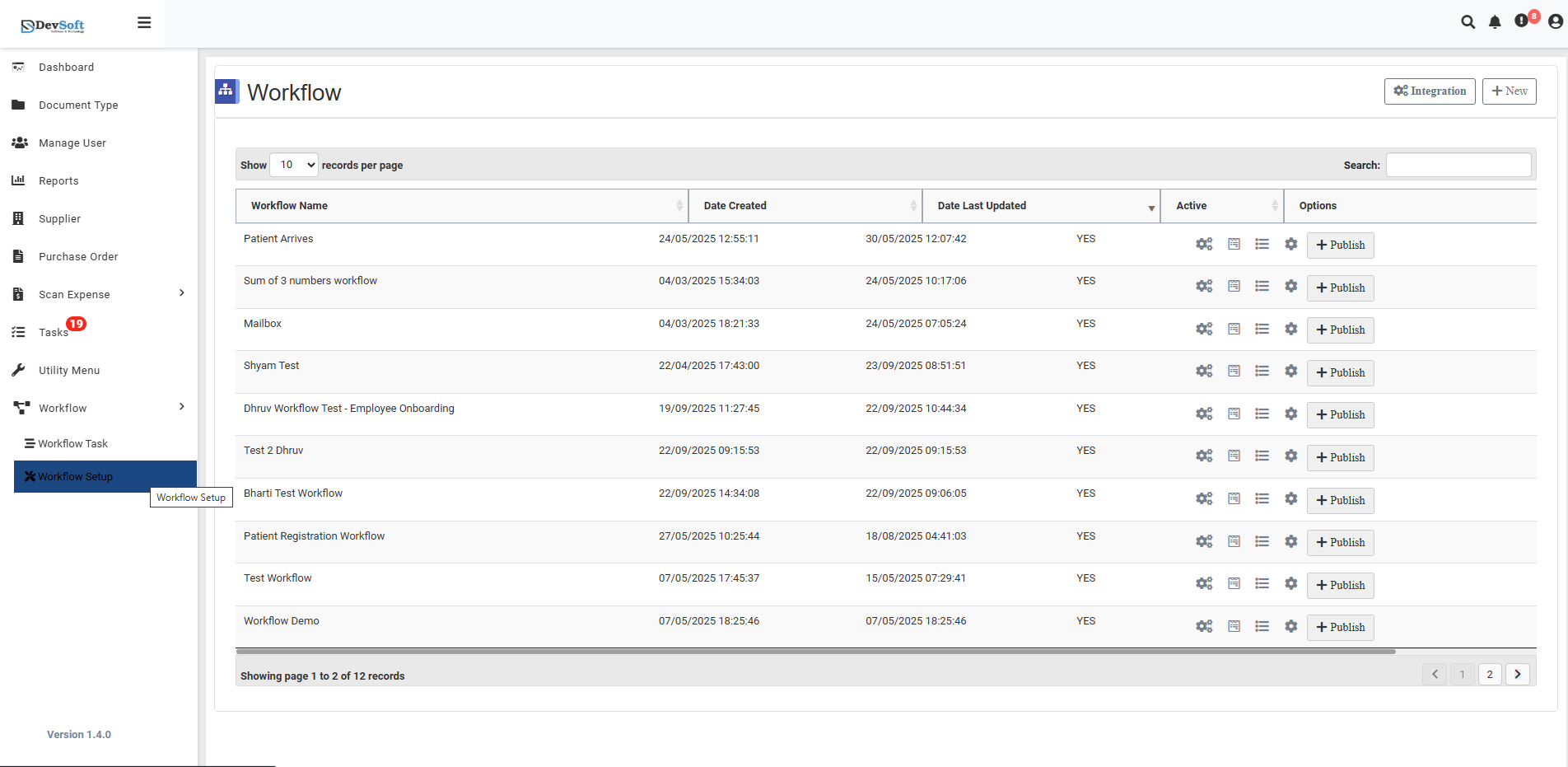
Forms Overview
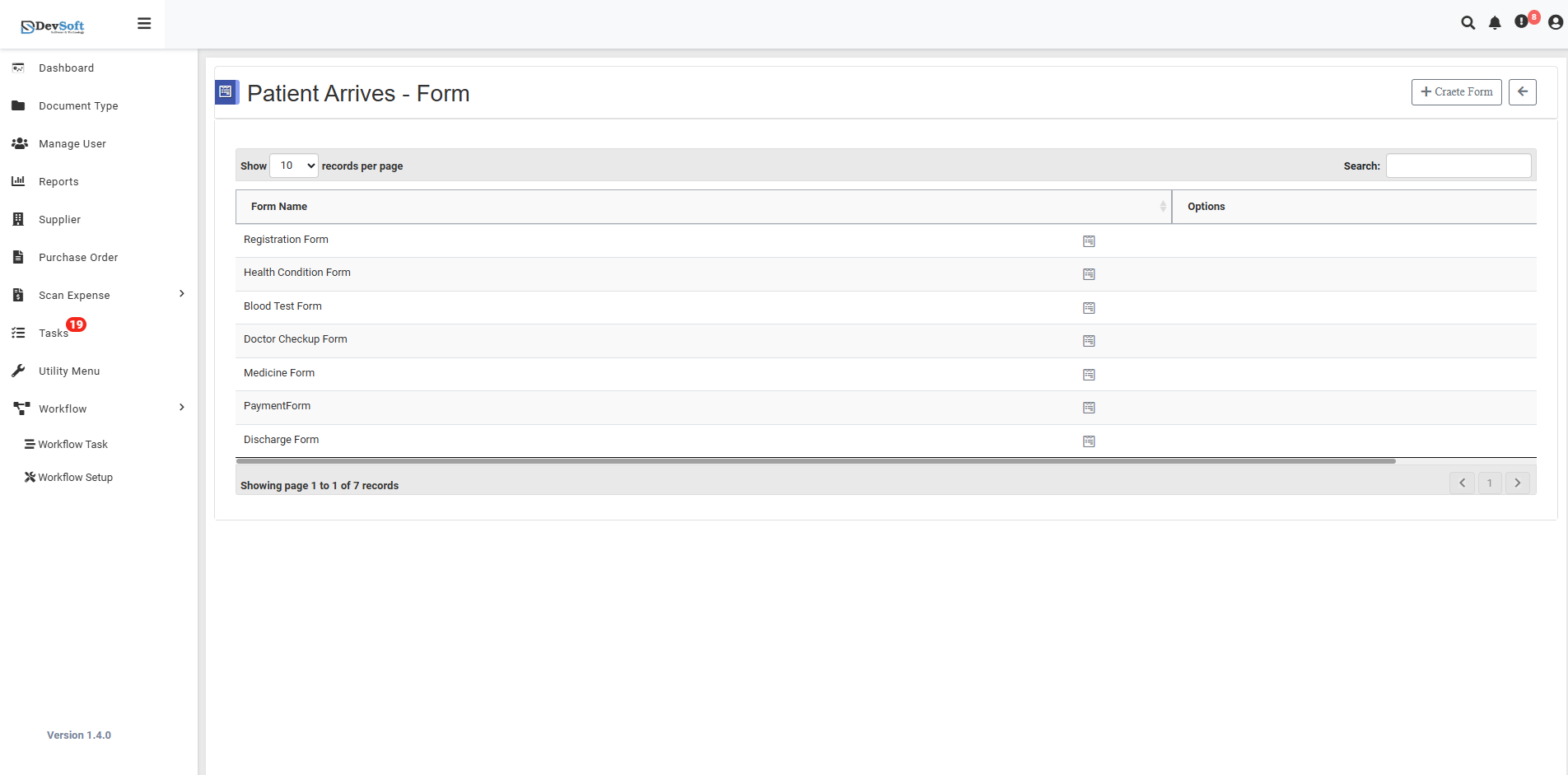
Forms Grid
The main interface displays all available forms in a structured list with pagination:
- Form Name - Lists all forms in the patient arrival workflow
- Pagination Control - Shows "10 records per page" with navigation
- Auto-refresh - "7 seconds per page" indicates automatic refresh capability
Available Forms
The system includes comprehensive patient care forms:
- Registration Form - Patient admission and basic information
- Health Condition Form - Medical history and current health status
- Blood Test Form - Laboratory test requests and results
- Doctor Checking Form - Physician examination and diagnosis
- Maddener Form - Specialized medical assessment
- Payment Form - Billing and payment processing
- Discharge Form - Patient release and follow-up instructions
Database Connections
The forms can connect to various database modules:
- Document Type, Manage User, Reports
- Supplier, Purchase Order, Scan Expense
- Task, Utility Menu, Workflow, Workflow Task
Watchout Setup
Advanced form configuration options:
- Watchout - Monitoring and alert settings
- Submit - Form submission handlers
- Submit Form - Custom submission configurations
Quick Actions
- Pagination Controls - Navigate through form pages
- Auto-refresh - Forms update every 7 seconds
- Form Selection - Click any form name to access detailed configuration
- Database Integration - Connect forms to various system modules
This centralized management ensures all patient workflow forms are easily accessible and configurable from one interface.