Scan Expense Overview
The Scan Expense Module in DocView Web enables users to digitize and manage all expense-related documents in one central place.
It automates the process of capturing, verifying, and tracking expenses from scan to payment.
Navigation
Login to DocView Web
- Enter your email and password on the login page.
- Click Login to access the main dashboard.
Open the Sidebar Menu
- Click on the ☰ Sidebar Icon at the top-left corner of the screen to expand the navigation panel.
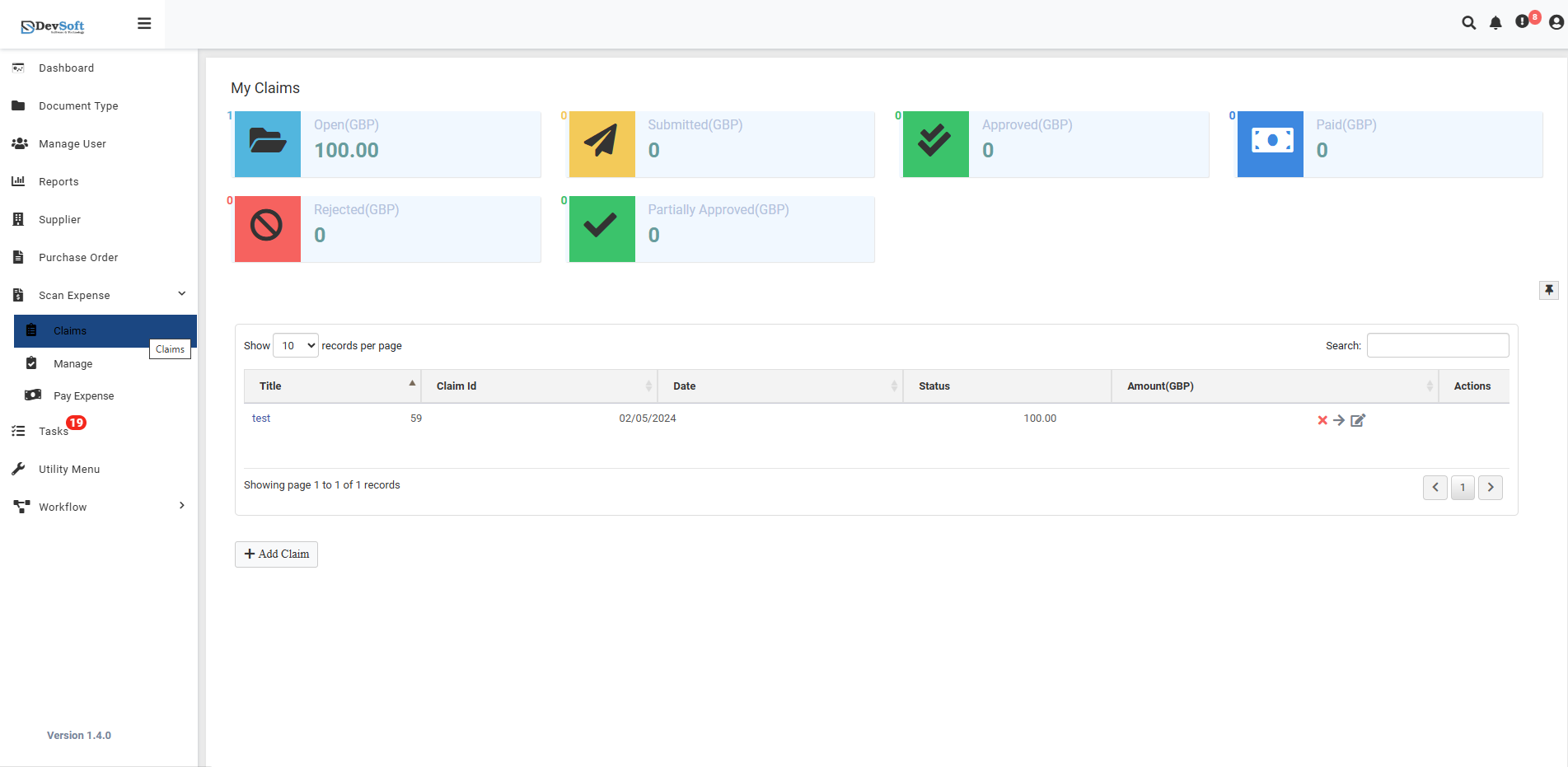
Select “Scan Expense”
- From the sidebar menu, click Scan Expense to view related options.
- The system displays three sub-menu items:
- Claim Expense
- Manage Expense
- Pay Expense
Choose a Section
- Click on Claim Expense, Manage Expense, or Pay Expense to open the respective module page.
Key Features
- Seamless Document Scanning – Upload or scan receipts, bills, or invoices directly.
- AI Data Capture – Automatically extract vendor, date, amount, and tax information.
- Claim Management – Submit and track reimbursement claims efficiently.
- Approval Workflow – Route claims through a multi-level approval chain.
- Audit Trail – Maintain full transparency and compliance for every expense document.
Workflow Overview
- Scan or Upload your expense receipt.
- Claim the expense with required details.
- Manage existing claims for tracking or editing.
- Pay approved claims and mark them as settled.