Forgotten Account & Reset Password
If you forget your login password, you can easily reset it using the Forgotten Account option on the login panel.
Note: Only admin users can reset their passwords, as DocView Web is restricted to admin access.
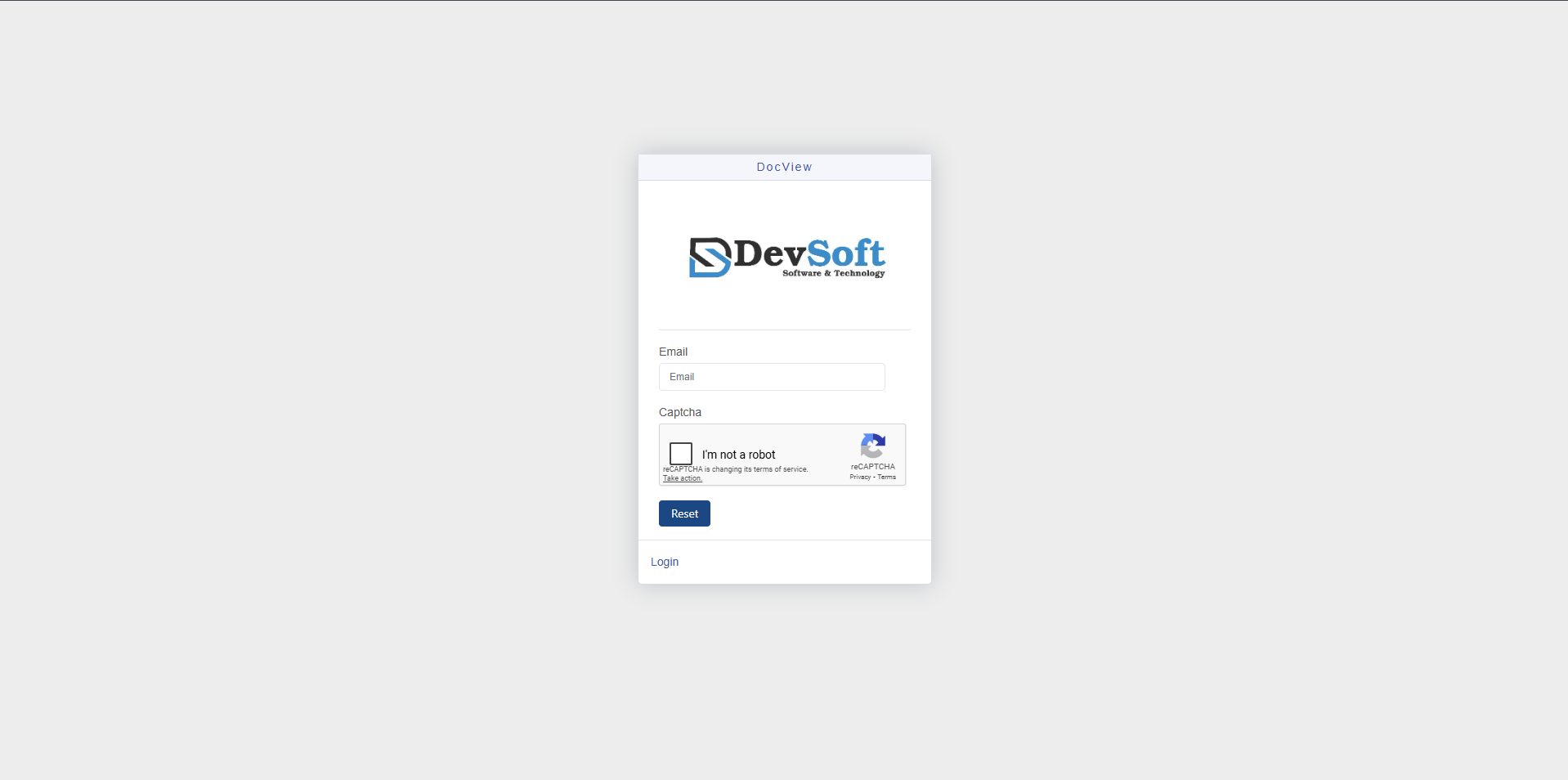
Steps to Reset Your Password
Click "Forgotten Account?"
On the login panel, click the Forgotten Account? link below the Login button.Enter Your Registered Email
In the email field, type the registered admin email associated with your DocView Web account.Verify Captcha
Check the I’m not a robot box to complete the verification process.Click Reset
Select the Reset button to send a password reset request.Check Your Email
You will receive an email from DocView Web with the subject line:
“Reset Password for https://docview.azurewebsites.net/Open the Reset Link
In the email, click the Click here link provided to open the Reset Password page.Set a New Password
On the Reset Password page, enter your new password and confirm it to complete the process.
INFO
Once your password is successfully updated, admin users can return to the Login Panel and sign in with their new credentials. Non-admin users will not have access.