Manage Users
The Manage Users page in DocView Web is visible to all users after login.
However, regular users can only view the list of users; they cannot create, edit, or delete accounts.
This ensures security and proper access control.
Accessing the Manage Users Page
Receive Login Credentials
- An administrator creates your account in DocView Web.
- You will receive an email with a default password.
Log in to DocView Web
- Use the email and default password provided.
- On first login, you may be prompted to change your password.
Navigate to Manage Users
- Click Manage Users from the main navigation menu.
- The Manage Users page opens, displaying a list of all registered users.
User List Overview
The Manage Users page shows the following details for each user:
- First Name: The user's first name
- Last Name: The user's last name
- Email: Login email address
- Group Name: Permission group assigned by admin
- Last Login Date: Date and time of last system access
- Options: View-only information (no edit or delete actions)
Note: All actions like Create, Edit, or Delete are restricted. You can only view user information.
Navigation in DocView Web
Open the Sidebar Menu
- Click the Sidebar Icon (☰) on the left to expand the menu.
Select "Manage User"
- Click Manage User to open the records interface.
This demonstrates typical navigation. The Manage Users page can be accessed similarly, but is read-only for non-admin users.
User List Overview
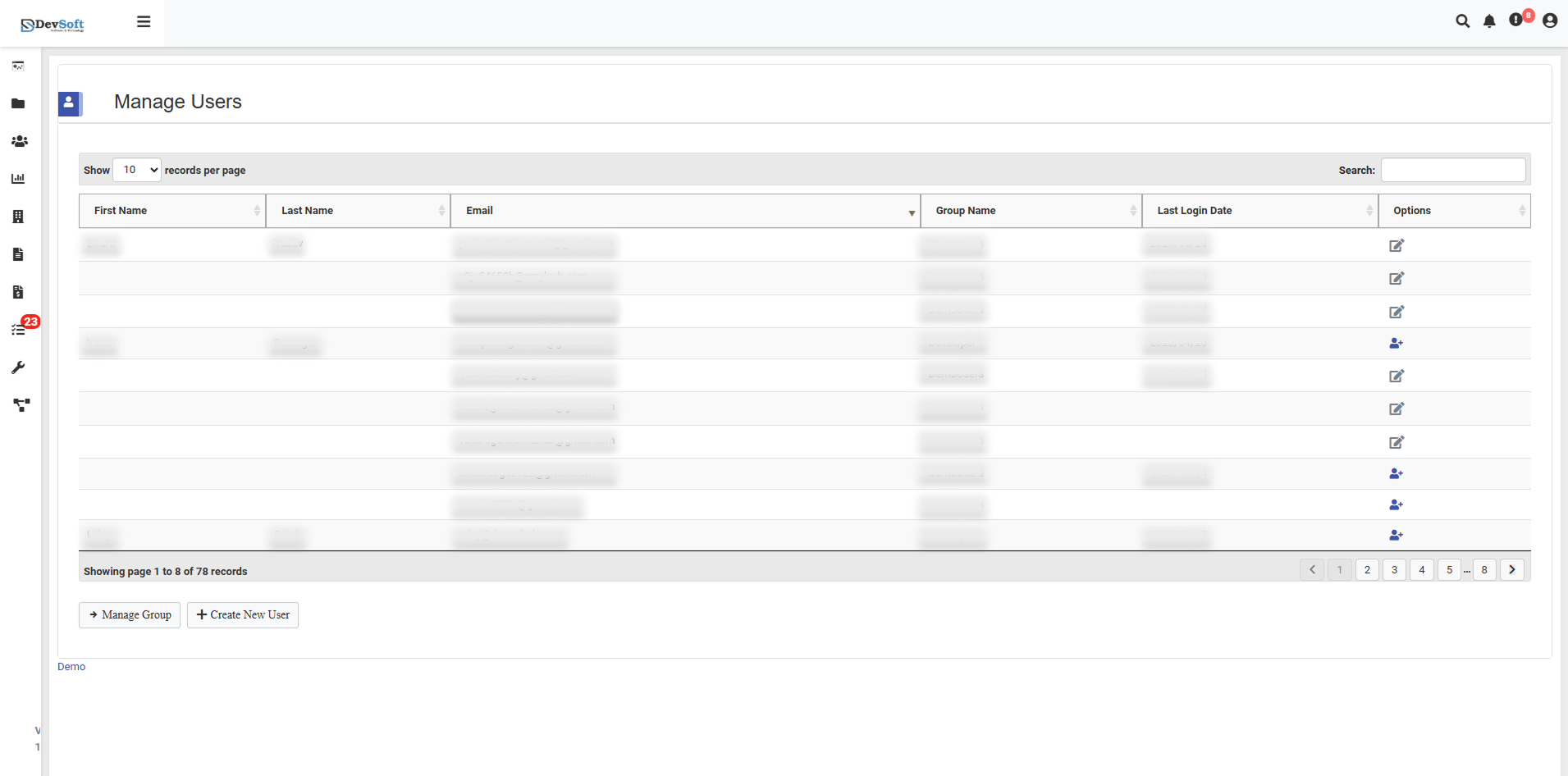
The Manage Users page shows all registered users with the following details:
- First Name: The user's first name
- Last Name: The user's last name
- Email: Login email address
- Group Name: Permission group assigned by the admin
- Last Login Date: Date and time of last system access
- Options: View-only information (no edit or delete actions)
Tips:
- Hover over Options to view available actions.
- Columns can be sorted by clicking the header (ascending/descending).
User List Controls
- Records per Page – Choose how many users to display per page (10, 25, 50, etc.).
- Pagination – Navigate between multiple pages of users.
- Search/Filter – Search users by name, email, or group. Advanced filters allow partial matches.
Available Actions
- Create New User – Open the interface to add a new user.
- Manage Groups – Access the group management interface to modify permissions.
- Edit User – Update user details, change assigned groups, or modify permissions.