Classify (Recognition) Module
The Classify (Recognition) Module in DocView Capture automatically identifies, separates, and categorises documents within a batch using recognition technologies such as OCR (Optical Character Recognition), pattern matching, and rules-based classification.
This ensures each document is assigned to the correct document type and linked to the correct index fields for downstream indexing, validation, and export.
Classification Process
1. Batch Selection
- The system loads batches that have passed QC and are ready for recognition.
- Each batch is identified by:
- Batch ID
- Batch Name
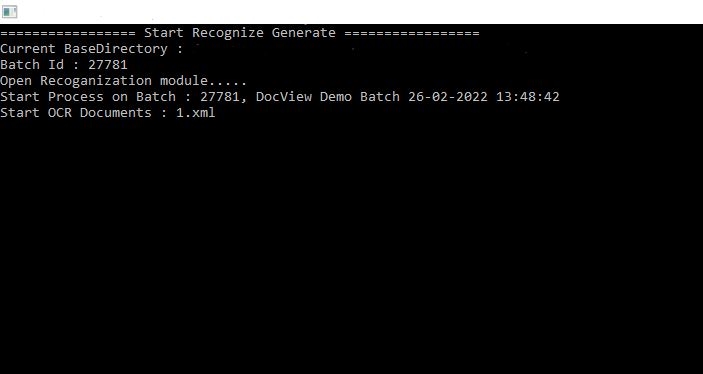
- Timestamp (e.g., Batch 27781, DocView Demo Batch 26-02-2022 13:48:42).
2. Recognition Execution
- The OCR engine analyses each page to extract text.
- Classification rules are applied to determine document type (e.g., Invoice, Purchase Order, Contract).
- Metadata files (e.g.,
1.xml) are generated for each recognised document.
3. Output Generation
- Recognised documents are assigned structured XML/metadata.
- Classification results drive the next step (Indexing).
Key Operations
- Start Recognition – Begins the OCR and rule-based recognition process for the selected batch.
- OCR Extraction – Extracts text from scanned images and PDFs, enabling keyword searches and indexing.
- Document Classification – Identifies document type using predefined templates, rules, or machine learning models.
- Metadata Creation – Generates structured output files (e.g., XML) that include recognised text and classification results.
Status Indicators
During processing, the Classify Module displays live progress information:
- Batch ID – Unique identifier of the current batch.
- Batch Name & Timestamp – Human-readable label of the batch.
- Process State – Current step (e.g., Start Recognize Generate).
- OCR Document – Shows which XML/Doc is being processed (e.g.,
1.xml).
Workflow Integration
- Input – Batches arrive from the QC Module (ensured quality and readiness).
- Process – OCR + classification rules identify and label documents.
- Output – Metadata (XML, JSON, or DB entry) is generated and passed to the Indexing Module for field population and validation.