Create a New Batch Setup
You can create a new batch setup from the Batch Setup window in DocView Capture.
Important
A batch setup will not become active until it is published.
Steps to Create a New Batch Setup
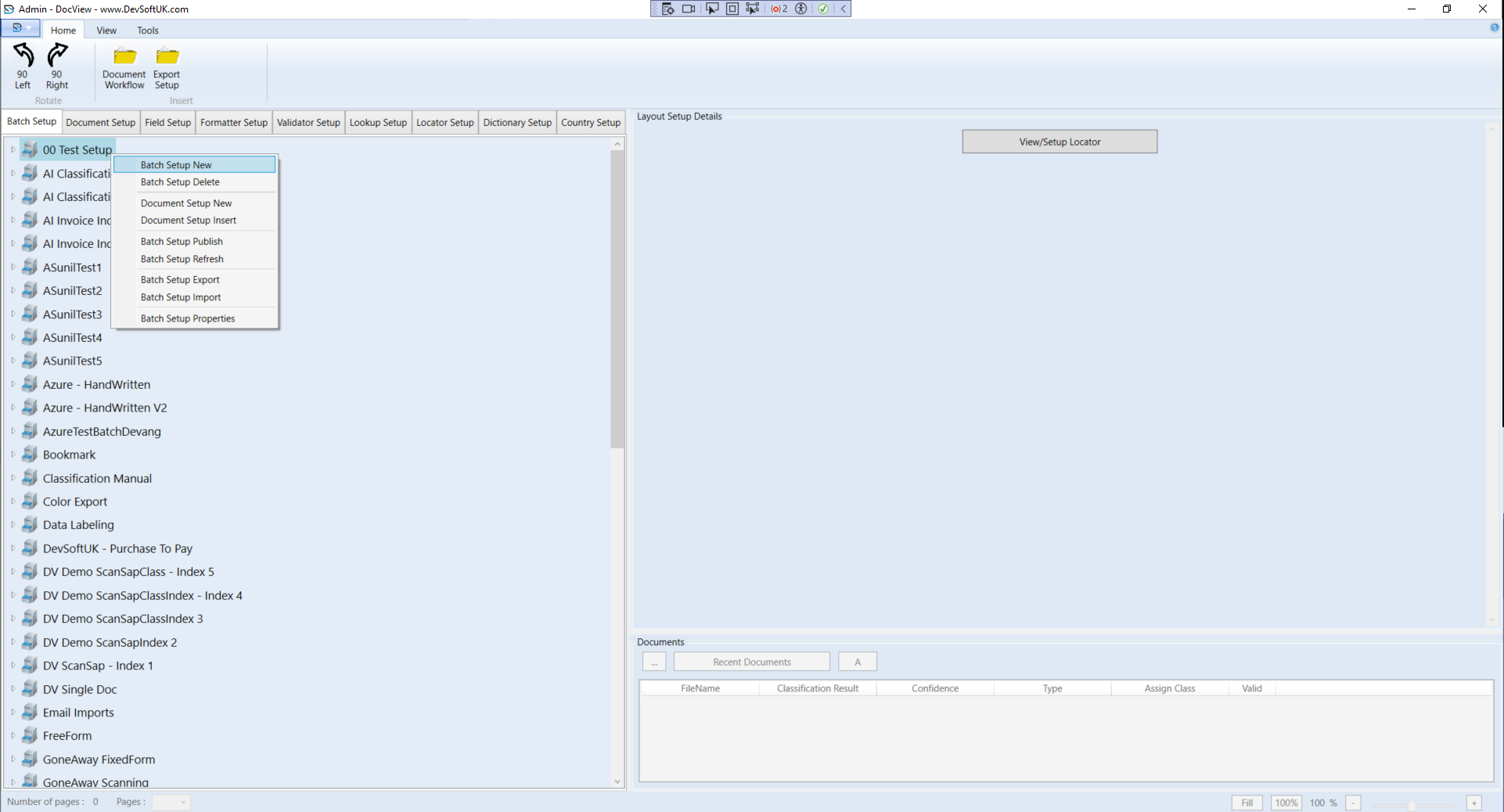
- In the Batch Setup list, right-click an existing setup or an empty area.
- From the context menu, select Batch Setup New.
- The Batch Setup New window will appear.
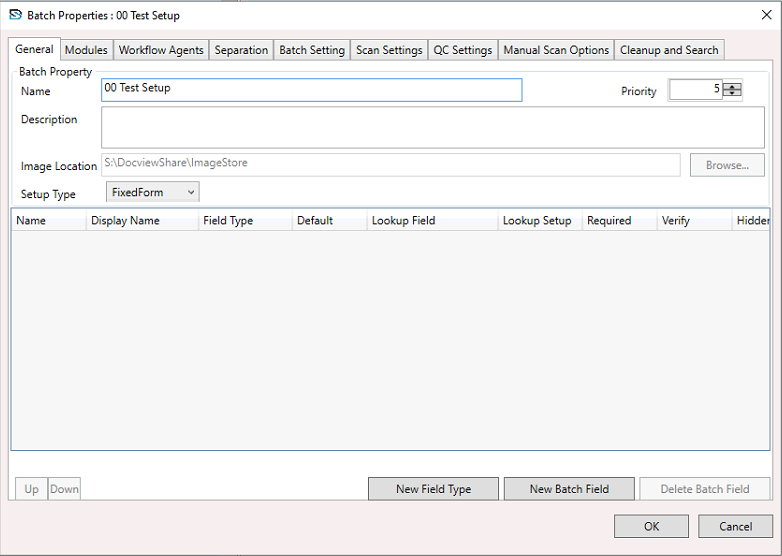
Configuring the General Section
In the General section of the Batch Setup New window, enter the required settings as described in the New Batch Setup Window — General section.
Additional Configuration Sections
For more details on other configuration areas, refer to the dedicated guides:
- Modules
- Workflow Agents
- Separation
- Batch Settings
- Scan Settings
- QC Settings
- Manual Scan Options
- Cleanup and Search
Finalising the Setup
Click OK to save the batch setup details and close the window.
Pro Tip
Always review all sections and perform a test run with sample documents before publishing the batch setup to ensure page separation, classification, and field recognition work as intended.